

Enterprise workforce management software helps large organizations plan, schedule, track, and manage their workforce across multiple locations and complex regulatory environments. Unlike basic tools, enterprise solutions are built to support global operations, advanced forecasting, strict compliance requirements, and integrations with HR, payroll, and ERP systems.
In this blog, we evaluate the top 10 enterprise workforce management software solutions used by large and global organizations, comparing them based on scalability, compliance readiness, system integrations, analytics capabilities, and support for complex workforce operations.
What features should you look for in enterprise workforce management software?
When evaluating enterprise workforce management software, focus on features that can support large, complex, and distributed workforces while ensuring scalability, compliance, and visibility.
- Automated Scheduling: Intelligent scheduling that aligns labor demand with employee availability, skills, and labor rules to optimize coverage and reduce costs.
- Forecasting and Analytics: Advanced forecasting and real-time analytics to improve workforce planning, track performance, and support data-driven decision-making.
- Time and Attendance Tracking: Accurate tracking of employee hours, shifts, overtime, and absences across multiple locations and workforce types.
- Compliance Management: Built-in tools to manage complex labor laws, union rules, overtime policies, and regional or global compliance requirements.
- Employee Self-Service and Mobile Access: Self-service portals and mobile apps that allow employees to view schedules, request time off, swap shifts, and stay connected to workforce information.
Top 10 Enterprise Workforce Management Software
Selecting the right enterprise workforce management system can greatly affect the success of an organization. Let's explore ten top enterprise workforce management solutions that are notable in 2026:
1. iMocha
iMocha is a leading enterprise-grade skills intelligence platform that helps organizations manage their workforce by identifying, validating, and closing skill gaps. It enables a skills-first approach to hiring, internal mobility, and strategic workforce planning.
Key Features:
- Skill Gap Identification: Identifying skill gaps in the organization helps to focus on specific training and development programs.
- Skills Inventory: This workforce management tool allows companies to identify internally owned competencies, anticipate future needs, and bridge skill gaps by pursuing more training or hiring qualified candidates for important projects.
- Skills Benchmarking: Helps organizations identify employee skill levels in primary competencies, secondary competencies, and soft skills for thoughtful recruitment.
- Succession Planning: Identifies and plans the development of potential employees who can take up leadership roles in the organization.
- Workforce Planning: The system provides important information about the skills job market, helping companies plan workforce transitions based on skillsets. This further helps them make smart decisions about whether hiring is required.
G2 Rating: 4.4/5 (276 reviews)
Pricing: Custom pricing based on company size and requirements.
Best suited for: Enterprises adopting a skills-first approach to workforce planning, mobility, and succession.
2. Infor

Infor Workforce Management is a scalable enterprise solution designed to optimize labor operations across industries such as manufacturing, healthcare, retail, and hospitality. Built on a cloud-based architecture, it enables real-time workforce planning and compliance tracking across global teams.
Key Features:
- Workforce Scheduling: This platform automates scheduling procedures, optimizing labor dispersal.
- Time and Attendance Tracking: Offers real-time tracking of employee attendance and hours worked.
- Labor Forecasting Tools: This platform utilizes data to determine anticipated labor requirements to fulfill before the specific or forecasted workload.
- Compliance Administration: Ensures that an organization follows all regulations and practices related to workforce legislation, reducing legal repercussions.
- Analytics and Reporting: Provides information on how well employees are performing, enabling data-driven decisions.
G2 Rating: 3.9/5 (803 reviews)
Pricing: Starts at $5,000 annually.
Best suited for: Large enterprises with complex, high-volume operations in manufacturing, healthcare, retail, or hospitality.
3. Workstatus

Workstatus is a real-time workforce and productivity management solution built for enterprises managing hybrid, remote, or distributed teams. It combines automated tracking, location intelligence, and performance insights to help businesses optimize both people and processes.
Key Features:
- Time Tracking: Provides precise tracking of hours worked by employees, including remote work monitoring.
- Project Management Tools: This tools help coordinate, manage, and track jobs and projects among the workforce.
- Team Collaboration Features: Streamlines interaction and collaboration among team members.
- Geolocation Tracking: Monitors employee location for remote work verification.
- Performance Insights: Offers analytics on workforce performance and productivity levels.
G2 Rating: 4.6/5 (12 reviews)
Pricing: Starts at $5 per user/month.
Best suited for: Enterprises managing remote, hybrid, or distributed teams with a focus on productivity tracking.
4. Oracle HCM
Oracle Workforce Management is part of the Oracle HCM suite and is designed to help large enterprises track time, manage absences, and control labor costs across complex and distributed workforces. It supports standardized time capture, policy enforcement, and reporting while maintaining consistency across HR, payroll, and finance systems.
Key Features:
- Fast, mobile-responsive time entry: Capture and approve time quickly from any device, including mobile.
- Labor tracking by cost drivers: Attribute labor to projects, cost centers, or grants for better cost control and reporting.
- Smarter web clock: Support flexible punch capture with configurable rules and stronger time-entry accuracy.
- Compliance alerts: Flag potential policy or labor-rule violations before they become operational issues.
- Global absence tracking: Manage country-specific absence types and rules with consistent processes across regions.
G2 Rating: 3.8/5 (85 reviews)
Pricing: Pricing available upon request.
Best suited for: Large enterprises already using Oracle HCM that need centralized time, absence, and labor cost control across regions.
5. WorkForce Software
WorkForce Software provides enterprise workforce management solutions built for complex, distributed workforces. It supports global compliance, labor optimization, and workforce engagement through a unified cloud platform.
Key Features:
- Intelligent Scheduling: Dynamically aligns staffing levels with business demand while respecting employee preferences and labor rules.
- Time and Attendance: Accurately records time worked, automates validations, and integrates with payroll systems.
- Absence Management: Centralizes leave policies and automates request handling to reduce compliance risks.
- Employee Experience Tools: Delivers self-service functionality and real-time communication across devices.
- Global Compliance Engine: Ensures adherence to labor laws, union rules, and organizational policies across regions.
G2 Rating: 4.1/5 (32 reviews)
Pricing: Custom pricing based on enterprise size and deployment scope.
Best suited for: Global enterprises with complex compliance and labor management requirements.
6. SAP SuccessFactors
SAP Workforce Management provides enterprise-grade time tracking, absence management, and workforce compliance capabilities within the SAP SuccessFactors ecosystem. It enables organizations to manage working time, leave, and approvals while aligning workforce data with payroll and core HR processes.
Key Features:
- Time recording and time administration: Record time and manage approvals, validations, and time calculations in one workflow.
- Absence management: Enable employees to request leave and help managers track availability and coverage.
- Compliance-ready time policies: Configure rules aligned to local regulations, agreements, and enterprise policies.
- Payroll and HR integration: Connect time and absence data with core HR and payroll processes to reduce rework.
- Mobile and self-service access: Allow employees and managers to submit time, requests, and approvals on the go.
G2 Rating: 3.9/5 (769 reviews)
Pricing: Pricing available upon request.
Best suited for: Global enterprises operating within the SAP ecosystem that require compliant time, absence, and payroll-aligned workforce management.
Explore the top 15 workforce optimization software designed for enterprise-scale efficiency and workforce alignment.
7. Hubstaff
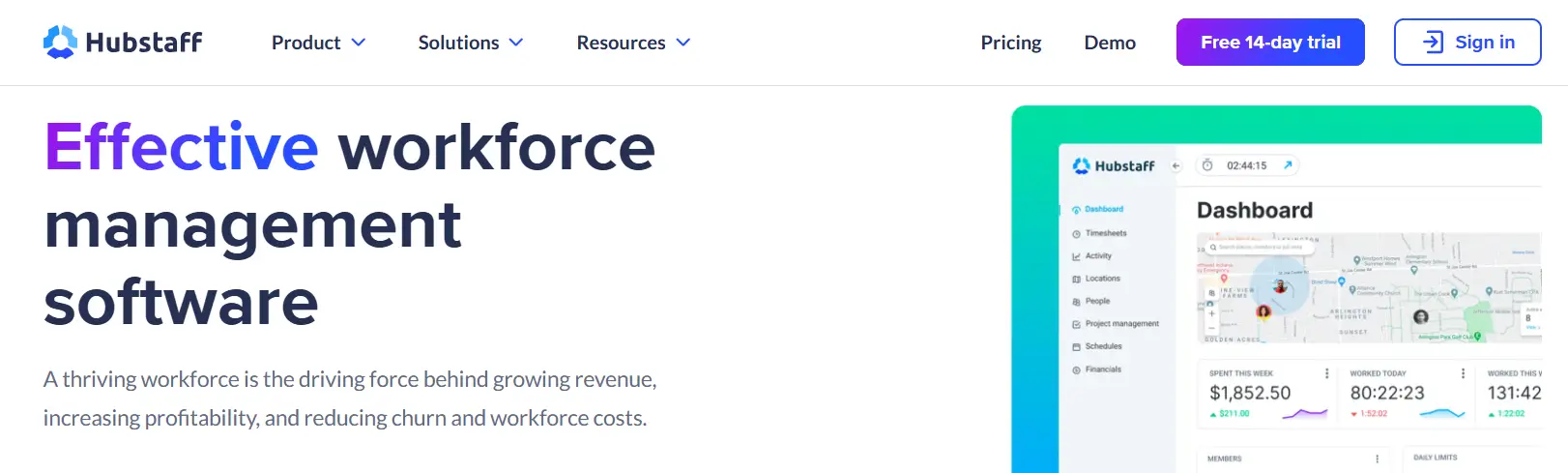
Hubstaff is a workforce management platform tailored for remote and field teams. It combines productivity tracking, time management, and GPS-based monitoring to help organizations maintain visibility into distributed workforces.
Key Features:
- Time and Activity Tracking: Records work hours and app usage with optional screenshot capture for transparency.
- Geolocation and Geofencing: Tracks employee location for field operations and automates clock-ins at designated job sites.
- Project Budgeting: Sets time limits and cost thresholds for projects to prevent overruns.
- Payroll and Invoicing: Automates payments and invoicing based on tracked hours.
- Team Analytics: Provides dashboards on productivity trends, time allocation, and project progress.
G2 Rating: 4.5/5 (1,489 reviews)
Pricing: Starts at $25 per user/month, with scalable plans for enterprise needs.
Best suited for: Enterprises managing remote, field, or project-based teams needing time and activity visibility.
8. Aspect Workforce

Aspect Workforce is an enterprise workforce management system tailored for large-scale operations, especially contact centers. It delivers end-to-end scheduling, forecasting, performance tracking, and employee experience through a unified platform.
Key Features:
- Dynamic Scheduling: Matches staffing to real-time demand and supports shift swaps, leave requests, and labor rule compliance.
- Predictive Forecasting: Enables “what if” scenario planning using historical and live data to guide staffing decisions.
- Real-Time Monitoring: Tracks adherence and performance through live dashboards to support quick adjustments.
- Workforce Experience (WFX): Empowers employees with a user-friendly portal to manage their schedules and requests.
- Cloud Infrastructure: Ensures secure, scalable deployment with seamless integration into HR, CRM, and ERP systems.
G2 Rating: 4.2/5 (288 reviews)
Pricing: Custom pricing available upon request.
Best suited for: Large-scale contact center operations with dynamic scheduling and real-time performance monitoring.
Unlock the top 15 staffing management tools that help streamline complex workforce management processes.
9. UKG PRO
UKG Workforce Management is an enterprise workforce management platform built to support large, frontline-heavy and distributed organizations. It helps enterprises manage scheduling, time and attendance, labor demand, and compliance while providing real-time workforce visibility.
Key Features:
- Time and attendance tracking: Track hours, overtime, and exceptions accurately to strengthen labor cost control.
- AI-assisted scheduling: Build schedules faster while balancing demand, skills, availability, and labor rules.
- Real-time insights and dashboards: Improve visibility into staffing, productivity, and labor drivers across locations.
- Compliance support: Help reduce risk with rule-based scheduling and time controls aligned to regulations.
- Mobile workforce self-service: Enable shift viewing, swapping, requests, and updates through mobile access.
G2 Rating: 4.3/5 (2,156 reviews)
Pricing: Pricing available upon request.
Best suited for: Enterprises with frontline or shift-based workforces that need scalable scheduling, time tracking, and real-time workforce visibility.
10. Verint
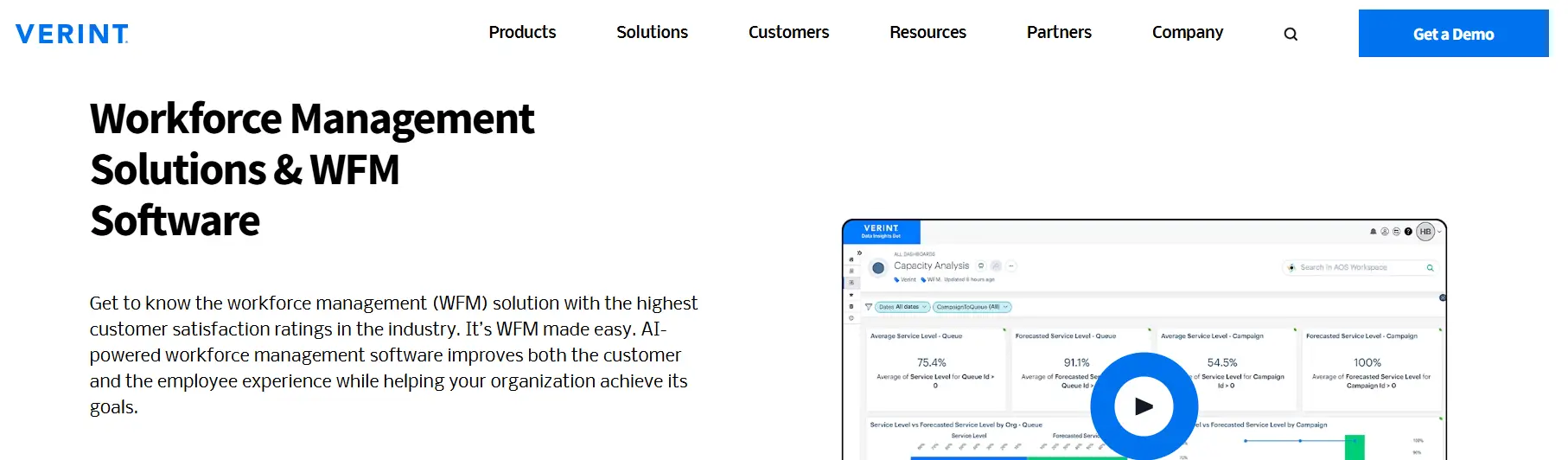
Verint Workforce Management is part of Verint’s broader customer engagement platform, offering AI-driven scheduling, forecasting, and workforce optimization for complex, service-centric operations. It’s widely used in contact centers, back-office operations, and field service teams.
Key Features:
- AI-Powered Forecasting: Predicts staffing needs based on historical volume, trends, and business drivers.
- Automated Scheduling: Balances employee preferences, skills, and shift requirements with business demand.
- Real-Time Adherence: Monitors schedule compliance and alerts managers to discrepancies.
- Mobile Tools: Allows employees to manage schedules, trade shifts, and view performance metrics on the go.
- Integration Flexibility: Works across CRM, ERP, and HR systems to centralize workforce insights.
G2 Rating: 4.2/5 (148 reviews)
Pricing: Enterprise pricing available upon request.
Best suited for: Contact centers and service-driven operations requiring advanced forecasting and real-time adherence.
Discover enterprise-ready workforce planning software that helps you allocate the right people to the right roles at scale.
How to choose the best workforce management solution for enterprises
Choosing the right workforce management solution requires evaluating how well a platform can support scale, complexity, and long-term enterprise needs.
- Define enterprise workforce requirements: Start by assessing workforce size, locations, shift complexity, compliance requirements, and future growth. Enterprise needs differ significantly from SMB use cases.
- Prioritize scalability and performance: Ensure the solution can support thousands of employees, multiple locations, and peak workloads without performance issues.
- Evaluate compliance capabilities: Look for built-in support for complex labor laws, union rules, overtime policies, and regional or global compliance requirements.
- Assess integration readiness: The platform should integrate seamlessly with existing HRIS, payroll, ERP, and finance systems through APIs or native connectors.
- Review analytics and reporting depth: Strong analytics and real-time reporting are essential for tracking labor costs, productivity, and workforce utilization at an enterprise level.
- Consider security and vendor reliability: Verify enterprise-grade security, data governance, SLAs, and the vendor’s ability to support large-scale implementations long term.
Conclusion
Enterprise workforce management software is essential for aligning people, performance, and productivity at scale. While many platforms streamline scheduling and compliance, iMocha goes further by integrating skills intelligence into the process.
With iMocha, enterprises can identify skill gaps, benchmark capabilities, and plan workforce transitions based on real data. This skills-first approach not only improves workforce planning but also drives smarter hiring, upskilling, and internal mobility. For organizations ready to future-proof their teams, iMocha delivers both precision and agility.
Check out how online workforce management supports enterprise scale workforce coordination and planning.
FAQs
1. What makes workforce management software enterprise-grade?
Enterprise-grade workforce management software is built to support large, complex organizations operating across multiple locations and labor environments. It offers high scalability, strong compliance controls, deep integrations with HR, payroll, and ERP systems, and real-time analytics. These capabilities ensure reliability, visibility, and control at enterprise scale.
2. What is typically included in enterprise-grade workforce management solutions?
Enterprise-grade workforce management solutions typically include automated scheduling, time and attendance tracking, labor forecasting, compliance management, and real-time reporting. They also provide employee self-service, mobile access, and seamless integration with HRIS, payroll, and finance systems, enabling enterprises to manage labor costs, productivity, and compliance consistently at scale.
3. What are the benefits of using enterprise workforce management software?
These solutions help improve workforce productivity, reduce operational costs, support compliance, and enhance employee engagement. They provide real-time data and analytics that enable better planning, smarter staffing decisions, and more efficient resource allocation.

