Meet iMocha at SAP Connect, Workday Rising, & UNLEASH.
View Events


QGIS is a powerful open-source Geographic Information System used for creating, editing, visualizing, analyzing, and publishing geospatial information. This comprehensive test assesses candidates' abilities to work with spatial data, perform complex analyses, and create professional maps, making it essential for roles requiring geospatial expertise.
Integrating QGIS with external databases (PostGIS), Managing layer visibility and groups, Using the Processing Toolbox tools, Creating buffer zones, Labeling features dynamically, Performing spatial joins
GIS Analyst, Geospatial Engineer, Urban Planner, Environmental Consultant, Cartographer
Strong knowledge of spatial analysis techniques
Proficiency in geodatabase management
Expertise in cartographic design principles
Ability to develop custom GIS workflows
Experience with cross-platform GIS applications
iMocha's QGIS test offers insights into spatial analysis capabilities, database integration skills, and cartographic expertise through scenario-based questions and practical assessments. Our secure browser settings and proctoring ensure test integrity while evaluating real-world GIS application abilities.

Choose easy, medium, or tricky questions from our skill libraries to assess candidates of different experience levels.

Choose easy, medium, or tricky questions from our skill libraries to assess candidates of different experience levels.

Choose easy, medium, or tricky questions from our skill libraries to assess candidates of different experience levels.

Choose easy, medium, or tricky questions from our skill libraries to assess candidates of different experience levels.
The QGIS assessment thoroughly evaluates candidates through multiple-choice questions and practical scenarios covering core GIS functionalities. Test takers are assessed on their ability to integrate QGIS with external databases like PostGIS, manage complex layer structures, utilize Processing Toolbox for advanced analyses, create buffer zones for spatial proximity studies, implement dynamic labeling systems, and perform spatial joins for data integration.
The test also covers layer addition/removal workflows and group management strategies. This comprehensive evaluation ensures candidates possess both theoretical knowledge and practical application skills necessary for professional GIS work, making it invaluable for organizations seeking geospatial talent.

Wondering what other skills we have?
Checkout world’s largest Skills Assessment Library.

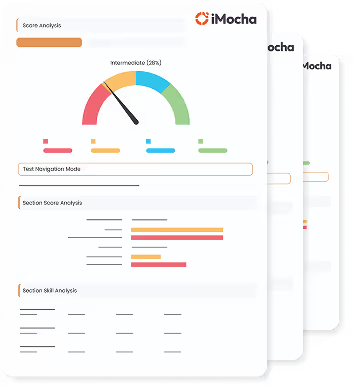
This a comprehensive PDF report, which you can instantly download and share with your hiring team or candidates for seamless collaboration.
Download Sample Report