iMocha Wins Six Brandon Hall HCM Excellence Awards 2026.
Learn More


The WCAG test evaluates candidates' knowledge of Web Content Accessibility Guidelines, ensuring websites are usable by people with disabilities. It identifies skilled professionals who can implement inclusive design principles, reducing legal risks and enhancing user experience. For recruiters, this assessment streamlines hiring accessible web developers and UI specialists, promoting diverse, compliant digital products that benefit all users.
Content On Hover And Focus, Mode Of Operation Changes, Live Regions, Contrast for UI Components, Label Controls, Headings Structure, Resize Text, Color Contrast
Web Accessibility Specialist, UI/UX Designer, Front-End Developer, Compliance Officer
Understanding of accessibility principles for interactive elements like hover and focus states
Ability to handle dynamic mode changes without disrupting user navigation
Proficiency in implementing live regions for real-time content updates
Expertise in ensuring sufficient color contrast for readable UI components
Skill in properly labeling form controls for screen reader compatibility
iMocha's WCAG test provides deep insights into candidates' ability to apply accessibility guidelines through MCQs on ARIA roles, contrast checks, and scenario-based hover simulations. It benchmarks performance against industry standards, ensuring hires create inclusive designs. With AI-proctored exams, secure browser lockdowns, and cheat-proof environments, you get reliable, unbiased results to build accessible teams confidently.

Choose easy, medium, or tricky questions from our skill libraries to assess candidates of different experience levels.

Choose easy, medium, or tricky questions from our skill libraries to assess candidates of different experience levels.

Choose easy, medium, or tricky questions from our skill libraries to assess candidates of different experience levels.

Choose easy, medium, or tricky questions from our skill libraries to assess candidates of different experience levels.
The WCAG test assesses core web accessibility standards from the Web Content Accessibility Guidelines, focusing on perceivable, operable, understandable, and robust content. These skills ensure digital interfaces are inclusive, compliant with global regulations like ADA, and usable by diverse audiences, including those with visual, auditory, or motor impairments.

Wondering what other skills we have?
Checkout world’s largest Skills Assessment Library.

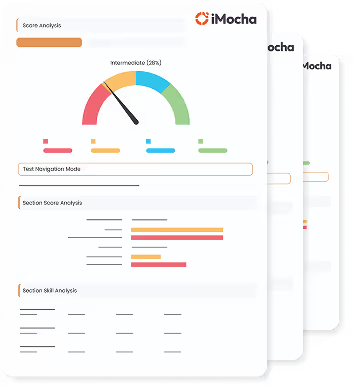
This a comprehensive PDF report, which you can instantly download and share with your hiring team or candidates for seamless collaboration.
Download Sample Report