HomeArtificial Intelligence Tests
GenAI Readiness: GitHub Copilot and AI Powered Coding Tools

GenAI Readiness: GitHub Copilot and AI Powered Coding Tools

15
Minutes
10
Questions
Intermediate
Ready to use

Test summary

This test assesses candidates' readiness to use AI-powered coding tools like GitHub Copilot in modern development environments. It covers prompt engineering, understanding use cases, and distinguishing between completion modes. These skills enable developers to leverage AI effectively while maintaining code quality.

Topics Assessed

Prompt patterns that work best in IDEs, Ideal use cases and limitations, Copilot completions vs chat

Use this test to hire

Software Developer, Full Stack Developer, AI Engineer, DevOps Engineer, Technical Lead

GenAI Readiness: GitHub Copilot and AI Powered Coding Tools

helps you to screen the traits below:

Proficiency in AI-assisted coding workflows

Understanding of AI tool limitations and best practices

Ability to craft effective prompts for AI assistants

Knowledge of IDE integration with AI tools

Experience with GitHub Copilot features and alternatives

Why choose iMocha for this test?

iMocha's GenAI Readiness test offers insights into AI tool proficiency through real-world coding scenarios and prompt evaluation. It includes practical challenges, code review simulations, and secure browser settings to ensure integrity.

You can customize this test by

Setting the difficulty level of the test

Choose easy, medium, or tricky questions from our skill libraries to assess candidates of different experience levels.

Combining multiple skills into one

Choose easy, medium, or tricky questions from our skill libraries to assess candidates of different experience levels.

Adding your own questions

Choose easy, medium, or tricky questions from our skill libraries to assess candidates of different experience levels.

Requesting a tailor-made test

Choose easy, medium, or tricky questions from our skill libraries to assess candidates of different experience levels.

About

GenAI Readiness: GitHub Copilot and AI Powered Coding Tools

The GenAI Readiness test employs scenario-based questions and practical exercises to evaluate candidates' ability to effectively use AI coding assistants. It examines their understanding of prompt patterns that yield optimal results, awareness of ideal use cases and inherent limitations of AI tools, and ability to distinguish between Copilot completions and chat functionalities. Candidates demonstrate their capability to integrate AI assistance seamlessly into development workflows while maintaining code quality standards. This assessment helps identify developers who can maximize productivity using AI tools while ensuring responsible and effective utilization in professional coding environments.

Important use cases of

GenAI Readiness: GitHub Copilot and AI Powered Coding Tools

  • Assessing developers' ability to integrate AI tools into existing workflows
  • Evaluating prompt engineering skills for maximizing AI coding assistant effectiveness
  • Identifying candidates who can balance AI assistance with manual coding oversight

GenAI Readiness: GitHub Copilot and AI Powered Coding Tools

15
Minutes
10
Questions
Intermediate
Ready to use
Try iMocha for free

Wondering what other skills we have?
Checkout world’s largest Skills Assessment Library.

Visit Here

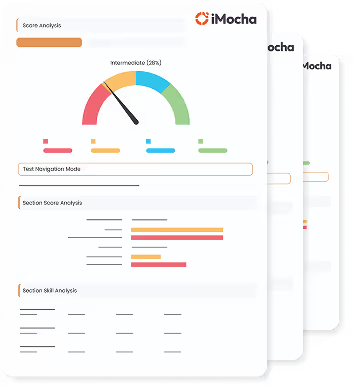
View a Sample Report for

GenAI Readiness: GitHub Copilot and AI Powered Coding Tools

This a comprehensive PDF report, which you can instantly download and share with your hiring team or candidates for seamless collaboration.

Download Sample Report
Frequently Asked Questions

Contact Us

How is the GenAI Readiness: GitHub Copilot and AI Powered Coding Tools test customized?

What are the most common interview questions for GenAI Readiness: GitHub Copilot and AI Powered Coding Tools?

What are the required skill sets for the GenAI Readiness: GitHub Copilot and AI Powered Coding Tools?

Which teams use these skills in real projects to drive performance?

What insights does the GenAI Readiness: GitHub Copilot and AI Powered Coding Tools report provide?

Blue circular clock icon with hour and minute hands pointing to 12 and 3.
Test duration:
min
Blue square with a white question mark inside a circle at the center.
No. of questions:
Black briefcase icon with a silver clasp on a transparent background.
Level of experience:

GenAI Readiness: GitHub Copilot and AI Powered Coding Tools

Capgemini
Deloitte
The United Nations
Fujitsu
The United Nations

Blue hollow ring shape above and to the left of a solid orange circle on a white background.
Wondering what other skills we have in our World’s Largest Skills Assessment library?
Visit here
How it works

Test Summary

Useful for hiring
Test Duration
min
No. of Questions
Level of Expertise
Two solid blue semicircles arranged diagonally on a black background.
Topics Covered
Shuffle

Shuffle

Shuffle

Shuffle

Shuffle

A helicopter view of the employee's progress
Test Report
You can customize this test by
Black curved arrow pointing left on a white background.

Setting the difficulty level of the test

Choose easy, medium, or tricky questions from our skill libraries to assess candidates of different experience levels.
Circular black shape with four inward-pointing, evenly spaced cutouts forming a cross pattern.

Combining multiple skills into one test

Add multiple skills in a single test to create an effective assessment and assess multiple skills together.
Black curved arrow pointing left on a white background.

Adding your own
questions to the test

Add, edit, or bulk upload your coding, MCQ, and whiteboard questions.
Circular black shape with four inward-pointing, evenly spaced cutouts forming a cross pattern.

Requesting a tailor-made test

Receive a tailored assessment created by our subject matter experts to ensure adequate screening.
Related Skills

FAQ
Book a DemoTry for Free